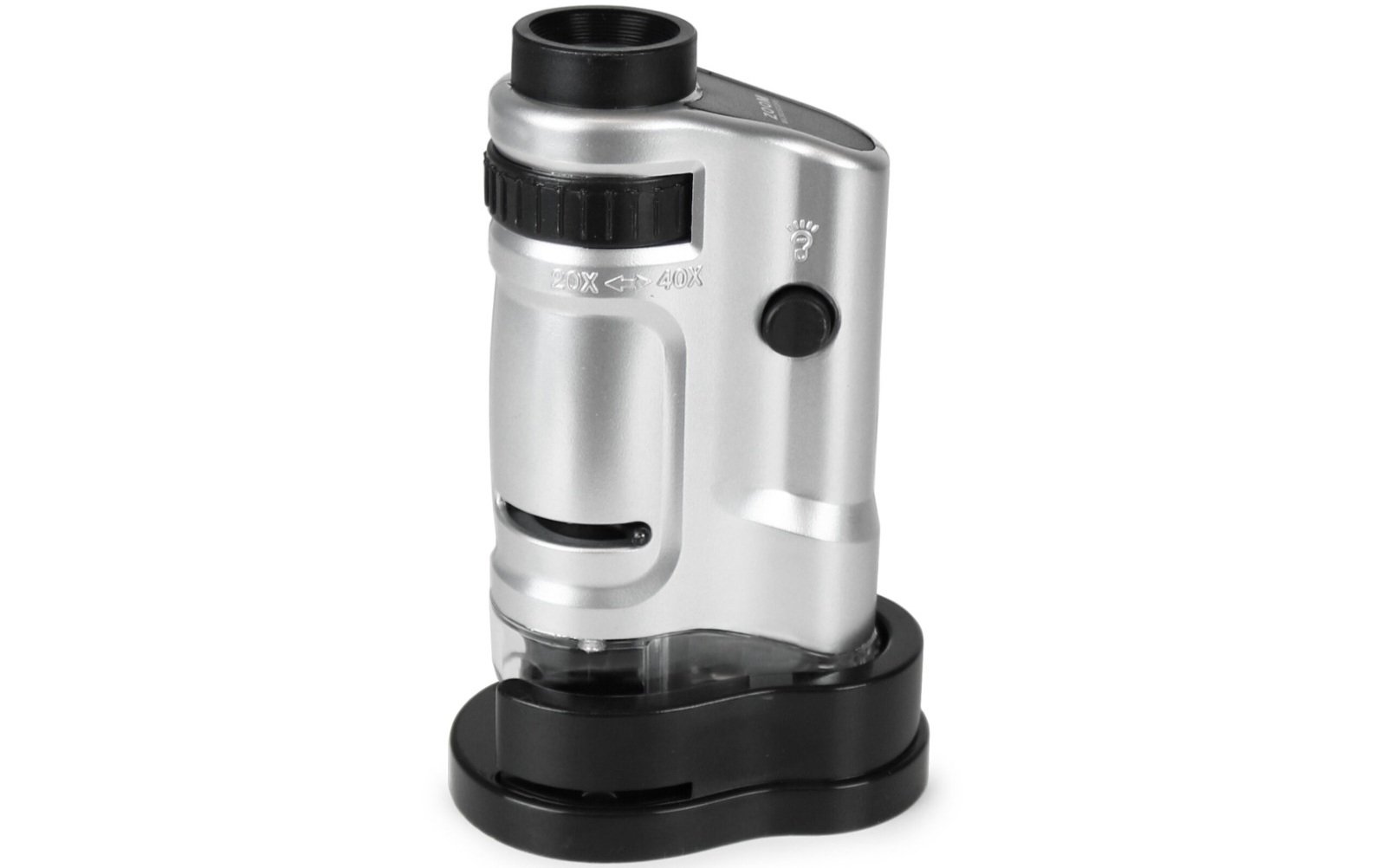
Some inspection jobs are too small for a magnifying glass and too awkward for a lab microscope. A hairline crack on a circuit board. Mites under a leaf. The mint mark on an old coin.
That gap is where the handheld microscope earns its place. It travels to the object instead of asking you to bring the object to it.
This guide explains how these devices work, which type fits which job, what the magnification numbers really mean, and what to check before you buy.
What Is a Handheld Microscope?
A handheld microscope is a portable, lit magnifier for inspecting small objects up close. It comes in optical and digital versions, and it is built for quick surface checks, photos and field use rather than lab slide work.
You will also see it called a pocket microscope, portable microscope, USB microscope, digital magnifier or inspection scope. The names overlap, but the core idea is the same: a small lens, built-in LED lighting and a way to focus, held in one hand or rested on the subject.
How a Handheld Microscope Works
Every handheld microscope bends light to enlarge a small detail. The difference is what happens after the lens.
Optical models
Light from the LED bounces off the object and enters the objective lens, which forms an enlarged image. You look through the eyepiece to see it, and a focus wheel or sliding barrel sharpens the view.
There is no screen, no software and no cable. That simplicity is why pocket optical scopes remain popular for field use.
Digital models
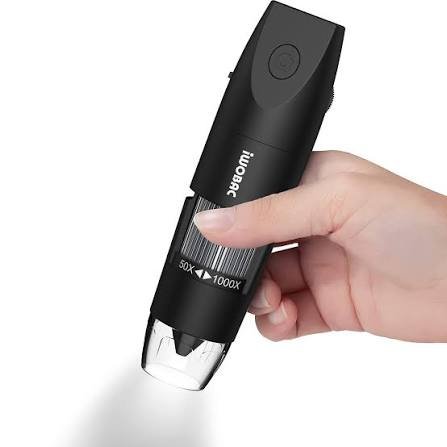
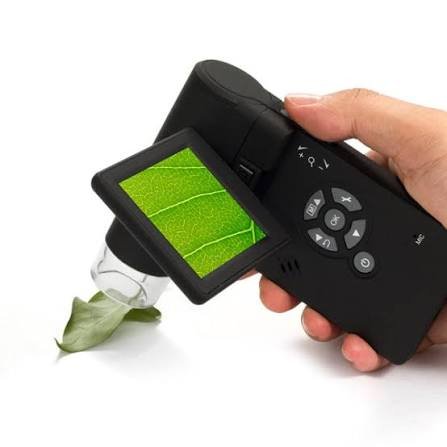
Here, the lens focuses the image onto a CMOS image sensor, which turns light into a digital signal. The signal reaches a phone, tablet, computer or built-in LCD by USB cable or Wi-Fi.
Software then displays the live view, saves photos and video, and on many models offers basic measurement tools. Resolution, frame rate and software quality all shape what you see.
Optical vs Digital: Which Type Fits?
| Factor | Optical pocket microscope | Digital handheld microscope |
| Typical magnification | Roughly 60x to 100x | Roughly 20x to 1000x as advertised |
| Needs a screen or app | No | Yes, or a built-in LCD |
| Photos and video | No | Yes |
| Power | Small battery for the LED | USB power or rechargeable battery |
| Best for | Quick field checks, coins, plants, fabric | Documentation, repair, inspection, teaching |
| Main weakness | No recording, small viewing field | Software and compatibility vary by brand |
If you only need to look, an optical scope is cheap and instantly ready. If you need to show, save or measure what you see, go digital.
USB models are the usual pick for a desk. Wi-Fi models suit people who work on the move and prefer a phone as the display, though they depend on a stable app and add a battery to manage.
Magnification: What Is Real and What Is Marketing
This is where most buyers get misled. A listing that promises 1000x can sound like a laboratory tool, but the number rarely tells you how much detail you will actually see.
Optical magnification is what the lens genuinely enlarges. Digital zoom and screen-size enlargement stretch the image after capture. They make things bigger, not sharper.
Two things decide whether a high number is usable:
- Sensor resolution: more pixels give the image more room to hold detail when enlarged.
- Lens quality: a poor lens produces a soft image at any zoom.
Magnification on a digital scope also depends on screen size. The same image looks more magnified on a large monitor than on a small LCD, which is why two products can quote very different figures for similar hardware.
Most real work happens at modest zoom. A useful rule is to match the range to the task and judge the product by sample photos, not the headline figure.
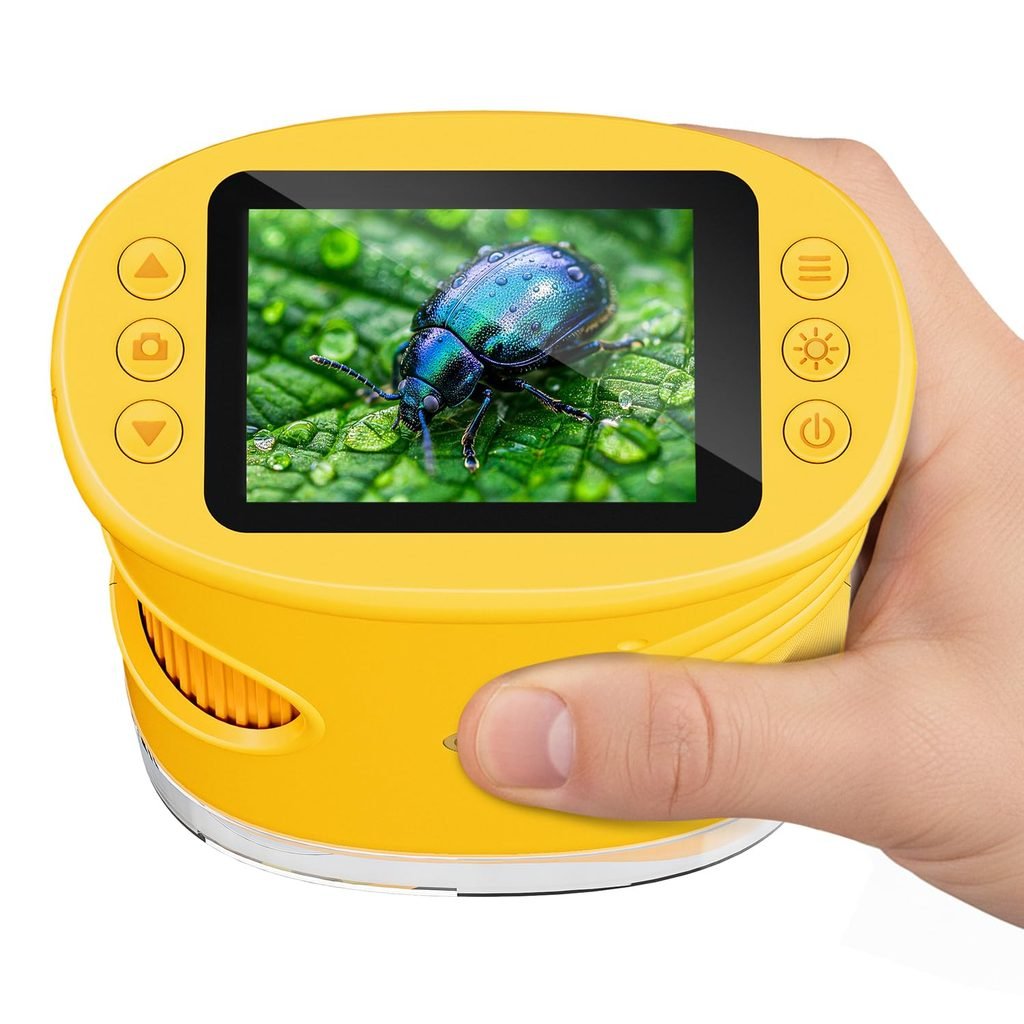
Which Handheld Microscope for Which Job?
| Task | Practical magnification | Recommended type |
| Coins, stamps, jewelry | About 10x to 60x | Illuminated loupe or low-zoom digital scope |
| Electronics and soldering | About 20x to 200x | USB digital scope with stand |
| Plant and insect inspection | About 20x to 100x | Optical pocket or Wi-Fi scope |
| Textile and paper fibers | About 50x to 200x | Digital scope with good lighting |
| Skin and scalp surface | About 50x to 200x | Digital scope with polarized light, or a purpose-built dermatoscope |
Electronics repair and quality control
Technicians checking SMD solder joints, connector pins or surface defects need working distance: enough gap between lens and board to fit a soldering iron or tweezers.
A USB digital scope on a stable stand with adjustable LEDs is the usual setup. Measurement software helps when you need to check component spacing or scratch size.
Coins, stamps and collectibles
Collectors in numismatics and philately usually want clarity at low power. Die marks, wear and printing patterns show up well at moderate zoom, so a loupe or a low-magnification scope often beats a flashy high-zoom model.
Plants, pests and gardening
A pocket optical scope or Wi-Fi model lets you check leaf undersides for pests or mold right where the plant grows. Battery power and a lightweight body matter more here than resolution.
Children and classrooms
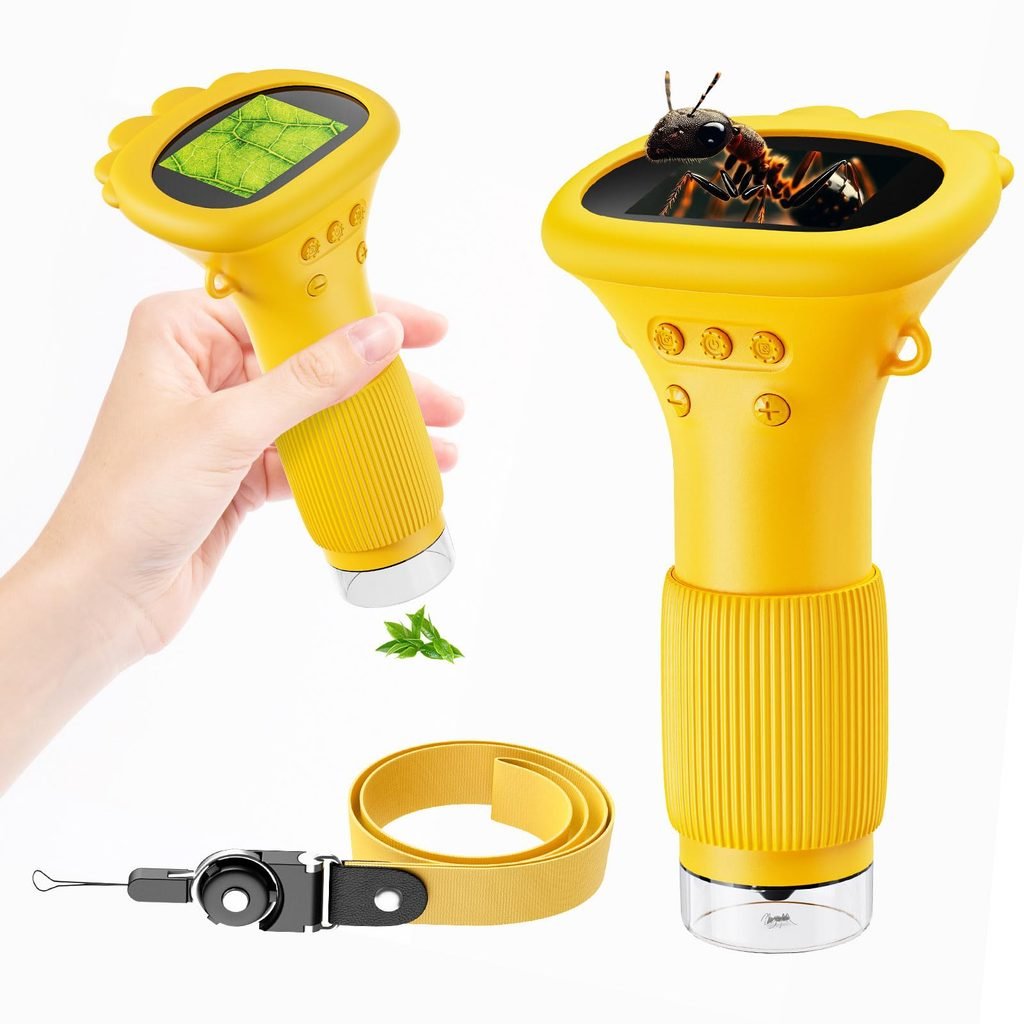
A simple optical pocket scope is a good first instrument for leaves, insects and fabric. For group teaching, a USB model connected to a projector lets a whole class see the same view.
Supervise young children, especially with devices that plug into a computer or include rechargeable batteries.
Handheld vs Benchtop Microscope vs Loupe
| Factor | Handheld microscope | Benchtop microscope | Jeweler’s loupe |
| Portability | Excellent | Poor | Excellent |
| Setup time | Seconds | Minutes | Instant |
| Stability at high zoom | Weak without a stand | Strong | Limited by your hand |
| Prepared slides and cells | Poor | Designed for it | No |
| Large or fixed objects | Excellent | Limited by stage size | Good |
| Photo and video | Easy on digital models | Needs a camera adapter | No |
A stereo microscope gives a three-dimensional view of solid objects at a bench. A compound microscope is the tool for cells, bacteria and prepared slides.
What a handheld microscope cannot do
It generally cannot show bacteria or cells. Those need a compound microscope with high magnification, transmitted light and prepared slides.
If your goal is biology at the cellular level, a handheld scope will disappoint. For surfaces, textures and solid objects, it is excellent.
Specs That Matter More Than the Headline Number
Before you compare prices, compare these:
- Working distance: the space between lens and object. Longer is easier for hands-on work.
- Resolution: HD or better for general use. More helps if you document or crop images.
- Lighting: adjustable brightness matters on shiny surfaces. Polarized light cuts glare. UV lighting suits specialist tasks.
- Field of view and depth of field: both shrink as zoom rises, so focus gets fussier.
- Frame rate: around 30 frames per second feels smooth on a live view.
- Connectivity: USB-C, USB-A, Wi-Fi or a built-in LCD. Check OTG support for Android phones.
- Battery: rechargeable units trade cable freedom for limited runtime, often an hour or two on small models.
- Build: metal housings and glass optics tend to outlast thin plastic.
- Stand: strongly recommended above roughly 50x, because hand shake grows with zoom.
How to Connect and Use a Handheld Microscope
- Clean the lens gently with a soft, lint-free cloth.
- Turn on the LEDs at moderate brightness.
- Connect by USB cable, join the scope’s Wi-Fi network, or power on the built-in screen.
- Open the vendor software or app and confirm a live image appears.
- Start at low magnification and find the area of interest.
- Steady the device on a stand, or brace your elbow on the table.
- Focus slowly, then raise magnification in small steps, refocusing each time.
- Tilt the object or adjust lighting to reduce glare on shiny surfaces.
- Capture photos or video, and place a scale reference in the frame if you need to measure.
- Cap the lens and store the device dry.
To connect a handheld microscope to a phone, use the manufacturer’s app. Wi-Fi models join the scope’s own network, while USB models may need an adapter and OTG support on Android.
Why Is My Image Blurry? Troubleshooting
Most image problems come down to a handful of causes:
- Out of focus or too close: back off slightly and refocus from low zoom.
- Hand movement: use a stand or rest the device on the object.
- Smudged lens: wipe with a soft cloth, never a rough fabric or harsh chemical.
- Glare: lower brightness, change the light angle or use polarized light.
- Excess digital zoom: drop back to a lower setting and crop the saved photo instead.
- No signal or driver errors: try another cable or port, confirm the operating system is supported and update the vendor app.
Pros and Cons
Strengths
- Portable and quick to set up
- Reaches large or fixed objects
- Digital models record photos and video
- Low entry cost
- Easy for beginners
Limits
- Unsteady at high zoom without a stand
- Inflated magnification claims are common
- Poor for cells and prepared slides
- App and software quality varies by brand
- Cheaper units may have uneven lighting
What Does a Handheld Microscope Cost?
Prices vary by brand, region and features. These figures are approximate guidance, so check current local listings.
| Tier | Approximate range (USD) | What you typically get |
| Budget | About $10 to $40 | Pocket optical scopes, clip-on lenses, basic USB models |
| Mid-range | About $40 to $150 | Better lighting, stands, Wi-Fi, LCD screens |
| Professional | About $150 to $600+ | Higher resolution, measurement software, sturdier build |
Price rises with sensor and lens quality, lighting options, software and build materials. Heavily discounted “original price” labels on marketplace listings are common, so compare specifications rather than discount percentages.
Buying Checklist
Before you order, confirm:
- The task and the realistic magnification it needs
- Real sample photos, not only rendered product images
- Working distance and whether a stand is included
- Operating system, USB-C or OTG compatibility and app support
- Battery or cable power
- Warranty and return policy
Regional buying considerations
Availability and service differ by market. In the US, UK and Australia, online retailers and science suppliers dominate. In the UAE, India and Pakistan, electronics markets, lab equipment dealers and online stores are common routes.
When searching for a handheld microscope near you, favor sellers that offer a demonstration or return window, confirm in-country warranty, and state power plug standards for any powered stand. Look for CE, FCC or RoHS markings where they apply, and check delivery time and import duty on overseas orders.
Safety and Care
Never look at the sun through any optical device. A handheld microscope is not a medical device, so do not use one to diagnose skin or health conditions. See a qualified professional instead.
Check lighting safety if your model includes ultraviolet LEDs. Charge rechargeable units with the supplied cable and avoid leaving them hot or wet. Store the scope in a case, away from dust and moisture, with the lens capped.
Practical User Experience
Going by how handheld microscopes are described, the first thing a new user is likely to notice is how little setup there is. Switch on the LEDs, connect by USB or Wi-Fi, and a live image appears. Optical pocket models are even simpler, since there is no screen or app to deal with.
Adjustable lighting looks like the feature that matters most day to day. On shiny surfaces such as coins or solder joints, lowering the brightness or tilting the object should cut glare. A comfortable working distance also seems important, because it leaves room for tweezers or a soldering iron under the lens.
The harder part is likely steadiness. At higher zoom, small hand movements make the image drift, and focusing becomes fussy. A beginner may find this frustrating at first, but a stand, a braced elbow, and raising magnification in small steps while refocusing should help.
Longer sessions are probably easier with a lightweight body and a stand. Rechargeable models run for only an hour or two, though, and Wi-Fi models depend on a working app.
The limitations are fairly clear. Headline magnification can overstate the detail you will actually see, and cells or bacteria are out of reach.
Overall impression: a practical tool for surface checks, photos and quick inspection, as long as expectations stay modest and steadiness is sorted out. It is not a replacement for a compound microscope.
Frequently Asked Questions
1.What is a handheld microscope used for?
It is used for close inspection of solid objects: electronics, coins, stamps, plants, insects, fabric, printing and skin surfaces. It suits quick checks and documentation rather than slide-based biology.
2.How much magnification do I need?
About 10x to 60x suits coins and jewelry, 20x to 200x suits electronics, and 20x to 100x suits plants and insects. Higher figures often rely on digital zoom and add size rather than detail.
3.Can a handheld microscope see cells or bacteria?
Generally no. Seeing cells or bacteria requires a compound microscope with high magnification, proper lighting and prepared slides.
4.How do I connect a handheld microscope to my phone?
Install the manufacturer’s app. Wi-Fi models connect through the scope’s own network, and USB models may need an adapter and OTG support on Android.
5.Are 1000x handheld microscopes real?
The figure usually reflects digital or screen enlargement. Judge the device by its resolution and genuine sample photos rather than the headline number.
6.What is the best handheld microscope for electronics?
Look for a USB digital model with adjustable lighting, a stable stand and a comfortable working distance. A range of roughly 20x to 200x covers most board work.
7.Is a handheld microscope better than a jeweler’s loupe?
Not always. A loupe is simpler and faster for gems and coins, while a digital handheld scope lets you capture images and view them on a larger screen.
8.Do I need a stand?
For anything above roughly 50x, yes. A stand removes hand shake, keeps focus stable and frees both hands for work.
9.Can children use a handheld microscope?
Yes, with supervision. A simple optical pocket model is a good start for leaves, insects and fabric.
Conclusion
A handheld microscope is the right tool when portability and quick surface inspection matter more than laboratory-grade optics. It is fast, flexible and affordable, but it works best at moderate zoom with steady support.
Start with the task. Pick optical for simple field checks and digital when you need photos, measurement or a shared screen. Prioritize resolution, working distance, lighting and compatibility over inflated magnification claims.
If your goal is viewing cells or prepared slides, move up to a compound microscope instead.
Unfulfilled Points: Original sample photos, a named author or reviewer, a testing methodology statement and a last-updated date could not be included because they require real images and details only you can supply.
These information are gathered from different surveys, medical tests and tech giants like Techradar and more. Our top priority is to provide you valuable information about Handheld Microscope.
For More Details About Different Digital Microscopes Click Here