Function of the Arm in a Microscope: What It Does and How to Handle It
What Is the Function of the Arm in a Microscope?
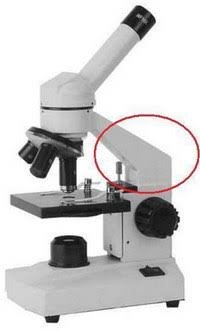
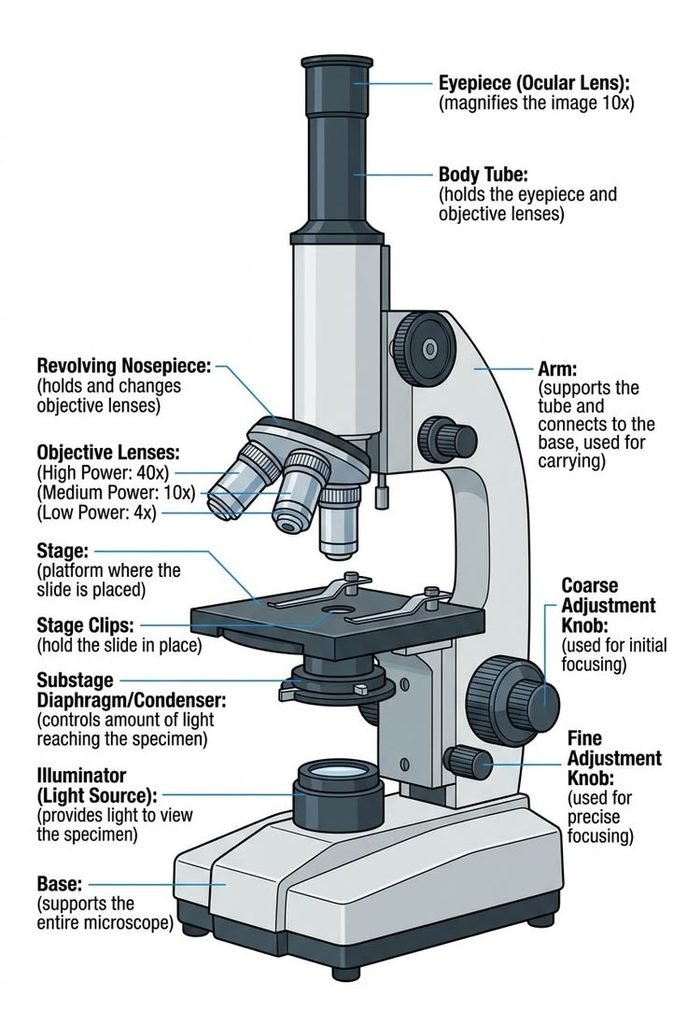
The arm of a microscope supports the head and connects it to the base. It keeps the lenses aligned, steadies the instrument, and gives you a safe handle for carrying.
That one sentence is the exam answer. The rest of this guide explains the reasoning behind it, so you can remember it, apply it, and spot problems when something goes wrong.
What Is the Arm of a Microscope?
The arm is the vertical or curved frame that rises from the base and holds the upper assembly, known as the head. The head includes the body tube, the eyepiece (ocular lens), and the revolving nosepiece with its objective lenses.
Some textbooks call it the limb, and older or regional sources sometimes say stand or pillar. The names differ, but the part is the same.
The arm belongs to the mechanical system of the microscope, not the optical system. It does not bend or focus light. Its job is to hold the parts that do.
Where it sits
Think of the arm as the spine of the instrument. The base is the foot, the head is at the top, and the arm joins them.
On most compound microscopes, the stage and the focus knobs are mounted on or alongside the arm. That position is why the arm matters far beyond being a handle.
The Primary Function: Support and Connection
The arm does two jobs at once. It carries the weight of the head, and it keeps the head at a fixed distance and angle from the base and stage.
This matters because microscopy is unforgiving. At high magnification, the tiniest movement shifts the specimen out of focus. A rigid arm keeps the objective lens, the specimen, and the light path lined up.
A flimsy or loose arm shows up as a drifting focus, a shaky image, or a head that creeps out of position.
Secondary Functions Most Guides Skip
Most pages mention the arm in a sentence and move on. In practice it does more than that.
It anchors the focus mechanism
The coarse focus knob and fine focus knob usually connect to gears inside or along the arm. When you turn them, that assembly raises or lowers the stage or the head. The arm has to stay rigid while this happens.
It often carries the stage
On many compound models, the stage attaches directly to the arm. This keeps the slide at a precise distance from the objective lens as you focus.
It shapes comfort
The angle and height of the arm influence your posture at the eyepiece. A well-designed arm lets you sit upright and look in without hunching, which matters during long sessions in a classroom or lab.
It helps carry extra weight
Camera adapters and trinocular heads add weight at the top. The arm and its joint with the base absorb that extra load. A weak arm may flex or loosen under it.
It can hide wiring
In many LED and digital models, the arm or its lower section routes wiring between the illumination system and the controls.
Why the Arm Is the Right Place to Carry a Microscope
The arm is the strongest structural link between the head and the base. Lifting from there moves the whole instrument as one piece.
The other parts are poor choices. The stage is a platform, not a handle. The eyepiece and body tube are precision optical parts. The focus knobs are connected to delicate gears.
Lifting by any of those can shift lenses, strain the focus gears, or detach a part. Supporting the base with your other hand then keeps the weight balanced and stops the foot from swinging into a table or a wall.
How to Carry a Microscope Correctly
Follow these steps whenever you move a microscope, whether in a classroom, a lab, or at home.
- Turn off the light and unplug the power cord if the model has one.
- Rotate the nosepiece to the lowest-power objective and lower the stage.
- Secure the cord so it cannot dangle or snag.
- Grip the arm firmly with one hand.
- Place your other hand flat under the base.
- Keep the microscope upright and close to your body.
- Walk slowly and set it down gently on a stable surface.
Never carry it by: the stage, the eyepiece, the body tube, or the focus knobs.
A quick scenario: a student rushing to the next bench grabs the microscope by the stage with one hand. The head tilts, the objective lens swings, and the slide slides off. Two hands and a firm grip on the arm would have prevented all of it.
Arm vs. Base vs. Stage: How to Tell Them Apart
Students often mix these parts up on diagrams. This table keeps them straight.
| Part | Main role | System | Use for carrying? |
| Arm | Supports the head, connects it to the base, serves as the handle | Mechanical | Yes, one hand |
| Base | Gives stability and often holds the light source | Mechanical | Yes, support from below |
| Stage | Holds the slide for viewing | Mechanical | No |
| Body tube | Channels light from the objective to the eyepiece | Optical | No |
| Nosepiece | Holds and rotates the objective lenses | Optical and mechanical | No |
A simple memory trick: the base is what the microscope stands on, the arm is what you hold, and the stage is where the slide sits.
Is the arm part of the optical system?
No. The optical system includes the lenses, mirrors or lights, and the body tube. The arm is structural. It affects image quality only indirectly, by keeping those optical parts steady and aligned.
Types of Microscope Arms
Not every instrument has the classic curved arm. The shape depends on the type of microscope and how it is used.
| Arm type | Shape | Common in | Notable feature |
| Curved (C-shaped) arm | Smooth arc from base to head | School and student compound microscopes | Easy to grip, familiar design |
| Straight pillar | Upright column | Stereo (dissecting) microscopes | Leaves room for tall specimens |
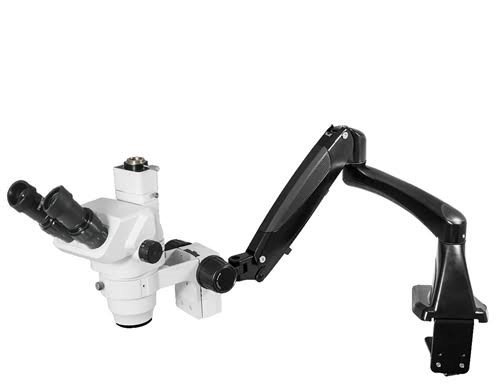
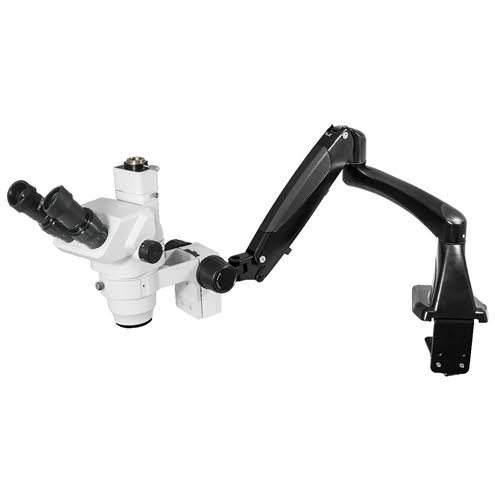
| Boom stand | Long horizontal extension | Industrial inspection stereo microscopes | Wide reach over large objects |
| Articulated arm | Jointed and adjustable | Surgical and some industrial microscopes | Flexible positioning |
| Integrated housing | Arm built into an enclosed body | Digital and LED microscopes | Hides wiring, compact look |
Do all microscopes have an arm?
No. Handheld and pocket microscopes have no arm because they are held directly. Many USB and digital microscopes use a small stand instead. Inverted microscopes place the optics beneath the specimen, so their frame geometry differs from the standard compound layout.
The curved arm on a compound microscope is still the version most students meet first, and it is the one most exam questions refer to.
Materials and Build Quality
The material of the arm affects rigidity, weight, and lifespan.
- Aluminum alloy: light and fairly rigid. Common in mid-range models.
- Cast iron, steel, or zinc alloy: heavy and very stable. Typical of lab-grade frames from established makers such as Olympus, Nikon, Leica, and Zeiss.
- Reinforced plastic or ABS: light and low cost. Common in beginner and children’s models.
| Material | Advantages | Drawbacks |
| Metal (aluminum, steel) | Durable, rigid, long service life | Heavier, usually costs more |
| Reinforced plastic | Light, affordable | Can flex or loosen over time |
| Metal frame with plastic cover | Balanced cost and strength | Quality varies between brands |
Metal-framed models generally cost more than plastic ones. Prices vary widely by brand, region, and supplier, so compare current listings rather than relying on a fixed figure.
How the Arm Affects Image Stability and Camera Use
High magnification exaggerates every vibration. A stiff arm joined solidly to a heavy base damps those vibrations and keeps the image still.
If you plan to add a camera or use a trinocular head, the arm carries more weight at the top. A metal arm with a firm joint is the safer choice. Plastic frames may tilt slightly under that load, which shows up as slow drift while you focus.
Buying Guide: What to Check in the Arm
If you are choosing a microscope for a classroom, a home lab, or an institution, these checks take only a few minutes.
- Match the arm to your use. Light home or school use is fine with a sturdy plastic or aluminum arm. Daily lab work or camera imaging calls for metal.
- Test rigidity. Gently press the head sideways. It should not wobble or twist.
- Check the grip. The arm should feel comfortable in one hand, with no sharp seams.
- Inspect joints and screws. Look for tight fasteners and clean castings or welds.
- Ask about spare parts and warranty. Brands with available replacement parts are easier to keep running for years.
Buyers looking for a supplier can search for a microscope or laboratory equipment supplier near them and compare service options, warranty terms, and parts availability.
Common Mistakes and Warnings
- Carrying by the stage or eyepiece. This can misalign optics or damage the focus assembly.
- Lifting with one hand and no base support. The base can swing and hit something.
- Leaning on the arm for balance. This can bend or loosen the joint.
- Forcing the focus knobs while gripping the arm. This strains the gears.
- Mixing up the arm and the base on a diagram. The arm is the upright support, and the base is the flat bottom.
Warning sign: If the head tilts, wobbles, or drifts on its own, stop using the microscope and inspect the arm screws and the joint with the base.
Maintenance and Troubleshooting
The arm needs very little care, but a few habits extend its life.
- Wipe it with a soft, lint-free cloth.
- Use only a mild cleaner on painted or plastic finishes, and avoid harsh solvents.
- Check the arm-to-base screws now and then.
- Look for cracks, especially on plastic frames.
- Store the microscope upright under a dust cover in a dry place.
What if the arm is loose or bent?
A loose arm often just needs its fasteners tightened, following the manufacturer’s manual. A bent arm is more serious. It can throw the optics out of alignment, and a proper repair usually means contacting the maker or an authorized service provider rather than trying to straighten it yourself.
Lab Safety and Handling Rules
Most schools and institutions teach the two-hand carrying method as part of basic lab safety. Manufacturer manuals describe the same approach and are the final word for any specific model.
Teachers can reinforce the habit by making students name the arm and the base out loud as they pick the microscope up. It turns a vague rule into a memorable routine.
A Short Note on History
Early microscopes made by pioneers such as Antonie van Leeuwenhoek and Robert Hooke looked very different from modern instruments. As designs matured and magnification increased, a rigid frame became essential, which is why the curved arm is now standard on student and laboratory compound microscopes.
Quick Reference: Parts Connected to the Arm
| Part | Relationship to the arm |
| Base | Joins the arm at the bottom and provides stability |
| Head and body tube | Held at the top of the arm |
| Nosepiece and objectives | Mounted in the head, supported by the arm |
| Stage | Often attached to the arm |
| Coarse and fine focus knobs | Usually mounted on or through the arm |
| Condenser and diaphragm | Sit below the stage, aligned by the frame |
Practical User Experience
In everyday use, the arm is the part you notice least when it works and most when it does not.
Handling is where it shows first. A curved arm sits naturally in one hand, and a palm under the base makes the microscope feel balanced rather than top-heavy. Gripping anywhere else feels awkward almost at once, which is a useful reminder of why the arm is the intended handle.
During focusing, a solid arm is invisible. The image holds still as you turn the knobs. On lighter frames, especially plastic ones, a slight shimmer can appear at the highest magnification if the bench is nudged or the knobs are turned briskly. Slow, steady turns reduce it.
Comfort depends on the height and angle of the arm. Short sessions rarely cause problems, but longer ones favor a design that lets you sit upright without leaning in.
Over time, small checks matter more than big ones. A glance at the arm-to-base screws and a wipe with a dry cloth take very little effort, and catching a slightly loose joint early avoids a tilting head later.
Overall impression: Few people shop for a microscope by its arm, yet it quietly decides how stable, comfortable, and durable the instrument feels. A rigid arm and a careful carrying habit do more for everyday results than most upgrades.
Frequently Asked Questions
1.What is the function of the arm in a microscope?
The arm supports the head and connects it to the base. It keeps the optical parts aligned and works as the handle for carrying.
2.Why is the arm important in a microscope?
It keeps the lenses stable and in position. At high magnification, even slight movement blurs the image, so a rigid arm protects image quality.
3.What is the arm of a microscope also called?
It is often called the limb. Some sources also use the terms stand or pillar.
4.Where is the arm on a microscope?
It rises from the base and holds the head at the top. The stage and focus knobs are usually mounted on or beside it.
5.Is the arm the same as the base?
No. The arm is the upright support and handle. The base is the flat bottom that keeps the microscope stable and often holds the light.
6.How do you carry a microscope correctly?
Grip the arm with one hand and support the base with the other. Keep the microscope upright and close to your body.
7.What is the arm of a microscope made of?
Usually metal such as aluminum or steel. Some beginner models use reinforced plastic.
8.Does the arm hold the stage?
On many compound microscopes, yes. The stage attaches to the arm, and the focus mechanism moves it up and down.
9.Do all microscopes have an arm?
No. Handheld and pocket models have none, and some digital microscopes use a small stand. Stereo microscopes often use a pillar or boom stand.
10.What happens if the arm is bent?
A bent arm can misalign the optics, cause vibration, and make focusing difficult. It should be checked by the manufacturer or an authorized service provider.
11.Can a bent arm be repaired?
Sometimes, but it depends on the material and the damage. Metal frames may be serviceable, while cracked plastic usually needs replacement.
Conclusion
The arm looks like a simple handle, but it is the structural link that holds a microscope together. It supports the head, connects it to the base, steadies the optics, anchors the focus mechanism, and gives you a safe grip.
Knowing this helps in three practical ways. You can answer exam questions accurately, handle the instrument without damaging it, and judge build quality when you buy.
Next time you pick up a microscope, grip the arm, support the base, and keep it upright. That small habit protects the lenses, the stage, and the focus gears.
These information are gathered from different surveys, medical tests and tech giants like Techradar and more. Our top priority is to provide you valuable information about Function of the Arm in a Microscope.
For More Details About Different Digital Microscopes Click Here